Android early access · in development
Shift your phone.
Protect what matters.
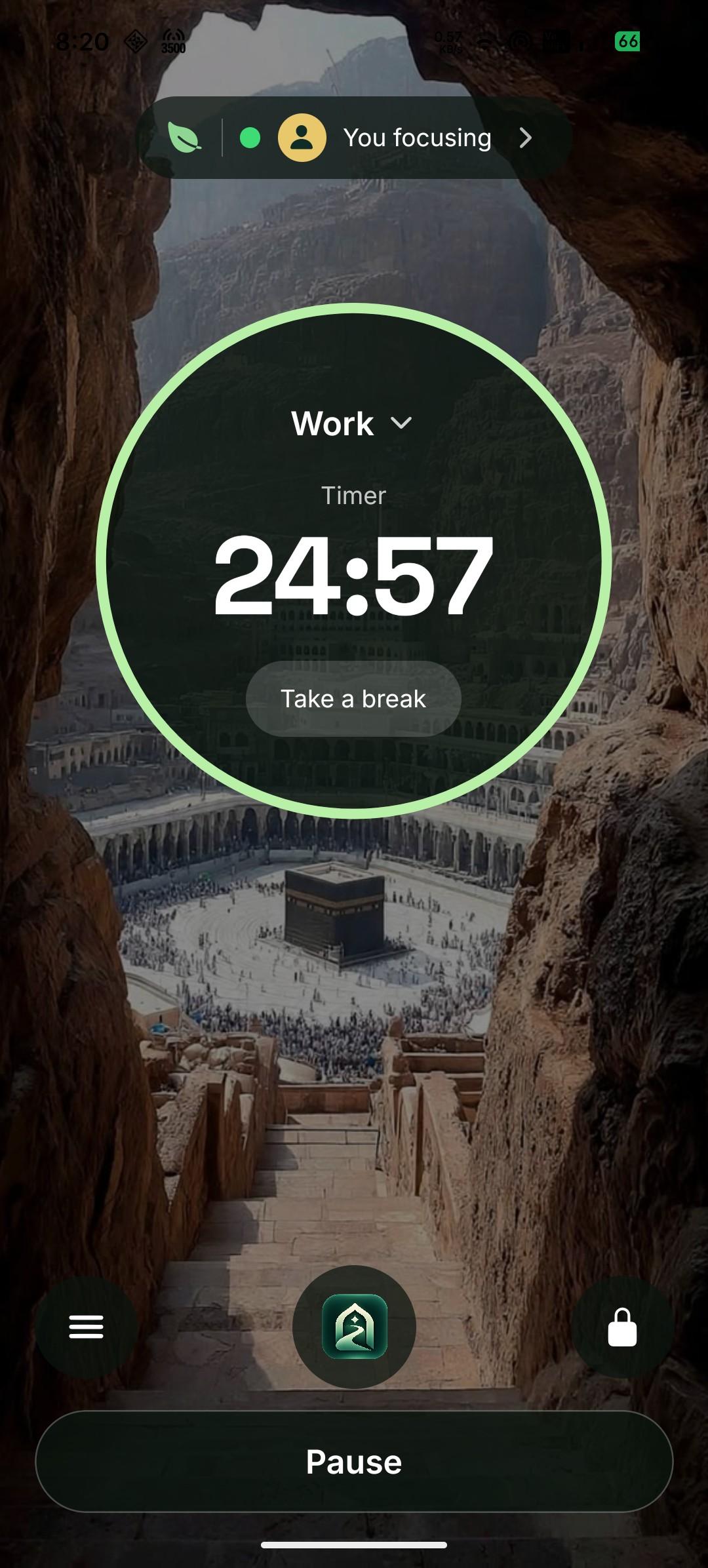
DeenShift is an Android app that puts a calm, deliberate boundary between you and the apps that take more than they give — around Salah, work, study, and the moments you choose.
- Local-first by default
- No ads. No ad SDKs.
- No Taqwa score. Ever.
01 / The drift
You don't lose the evening
all at once.
A quick check becomes an hour.
The feed is not a place you decide to stay. It is a place the next thing keeps you.
Last scroll
01:42
Sleep
4h 12m
Fajr arrives before you’ve slept.
The last scroll is rarely the last one. The morning pays for it.
Dhuhr
12:30
Salah waits for the feed to end.
The adhan is a fixed time. The phone is designed to make time feel elastic.
The problem isn't willpower. It's a device designed to interrupt you.
02 / How it works
Three decisions. Then the phone steps back.
You are not building a new habit every day. You are setting a boundary once, and letting the phone hold it when your attention is weakest.
- 01
Choose what matters
Salah. Work. Study. Family. Your attention. Start with one thing worth protecting.
- 02
Set a schedule
Pick a window, the apps it holds back, and how much friction you want at the moment. Salah is already guarded.
- 03
Meet the moment
A reminder, a question, a pause, or a hard stop. Your choice, held when the reach happens.
Salah Mode
Your niyyah, kept.
At the moment
Intent, then hold
Still open
Calls · alarm · system
Salah can be turned off, never deleted.
03 / Schedules
Protect the hours that matter.
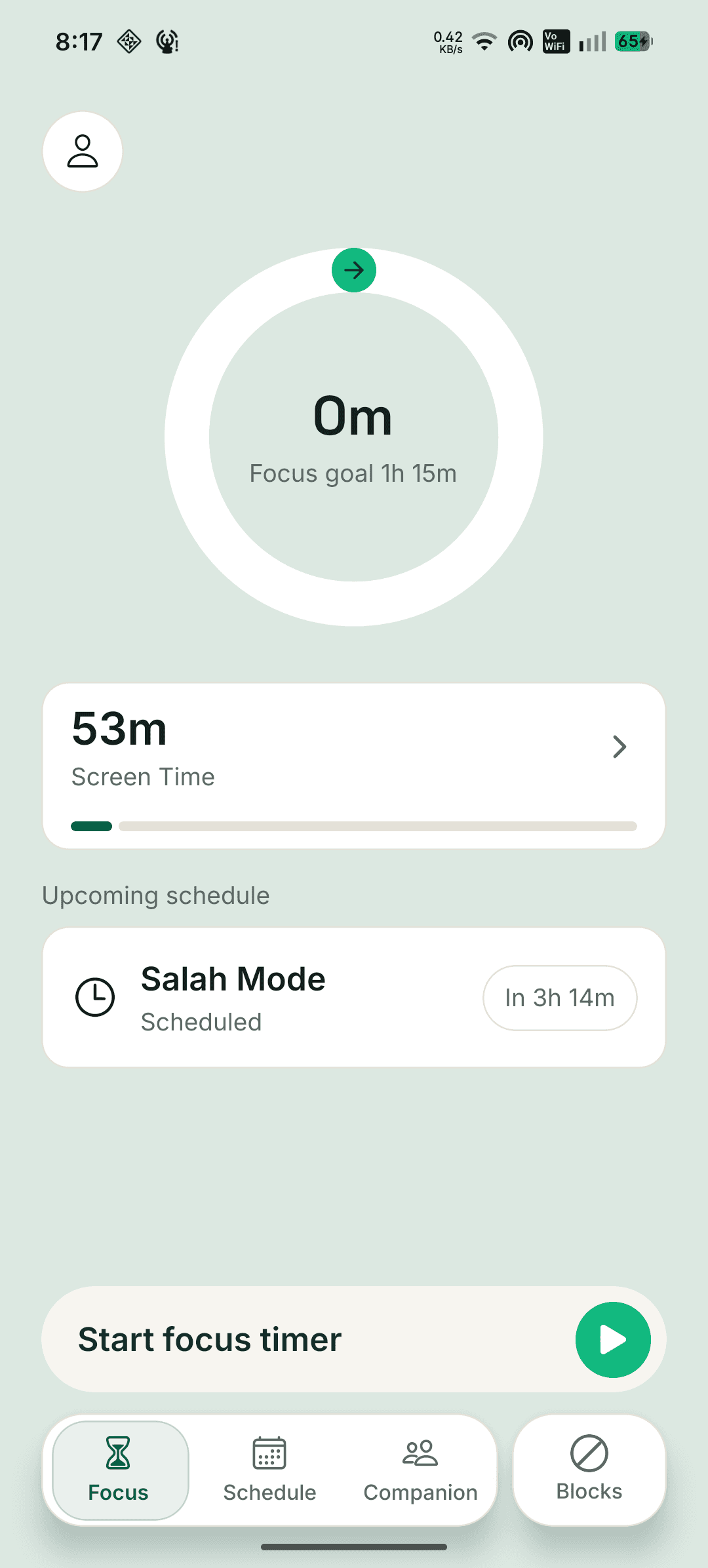
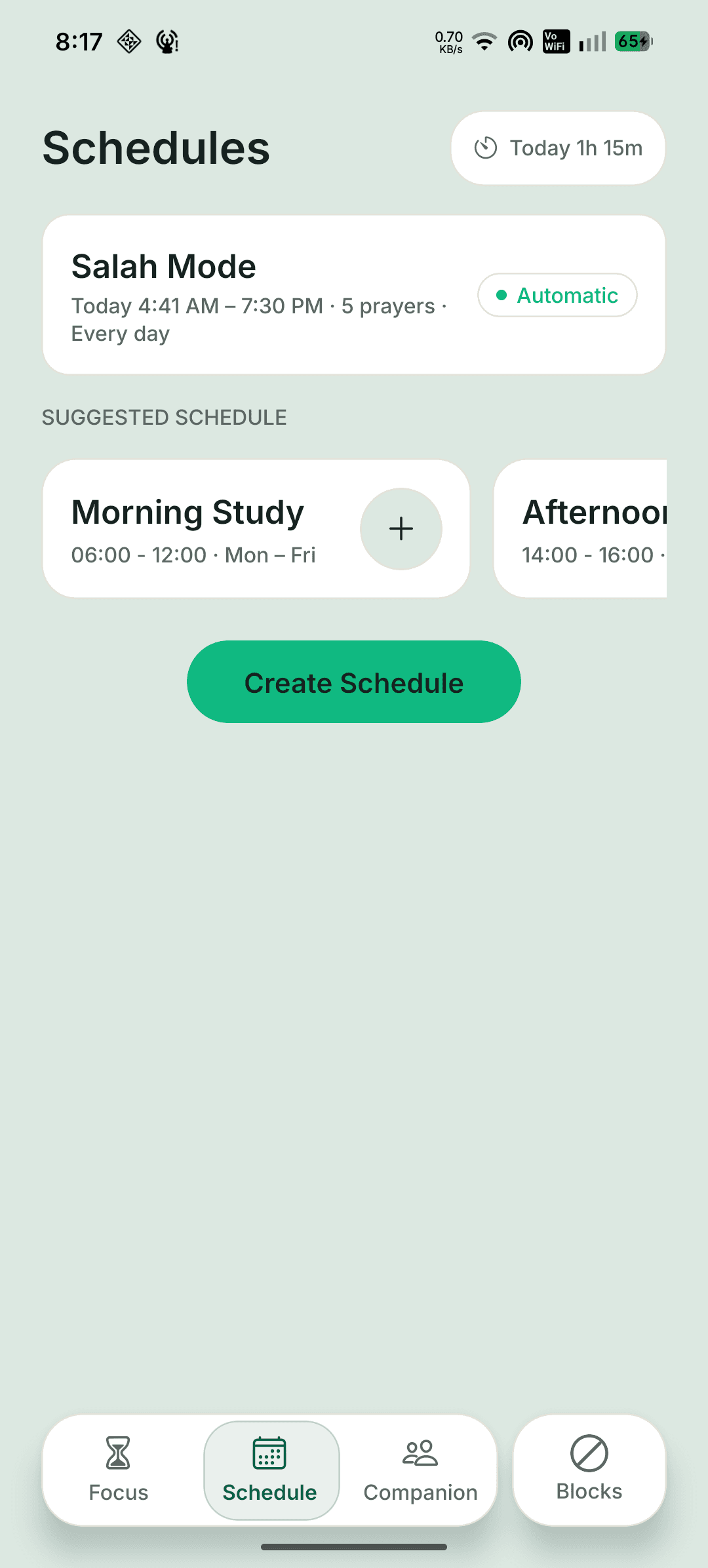
A schedule is a window, the apps it holds back, and how much friction you choose. Salah is set up for you — and it can't be deleted.
Schedules
04- Salah Mode
Today 4:41 AM – 7:30 PM · 5 prayers · Every day
- Morning Study
06:00 – 12:00 · Mon–Fri
- Afternoon Study
14:00 – 16:00 · Mon–Fri
- Custom schedule
Your window · Any day
Salah Mode
Around each prayer
Today 4:41 AM – 7:30 PM · 5 prayers
Permanent
Salah can't be deleted.
Turn it off if you need to. It stays in your library, ready to guard the next prayer.
Today
1h 15m
Protected · Salah windows 0/35
04 / The moment
Willpower is a bad interface.
The reach is automatic. The pause is designed. DeenShift meets you at the one second that decides the next hour.
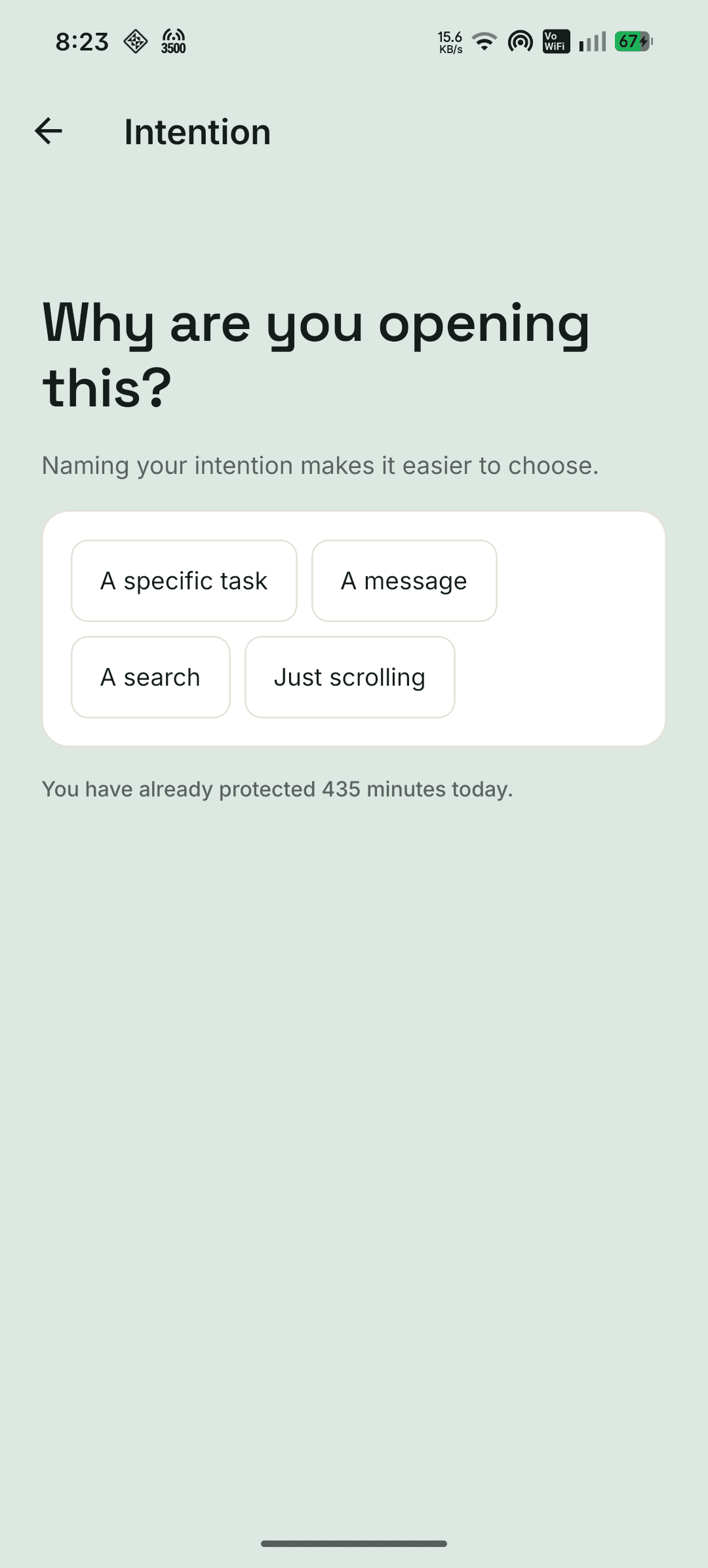
At the moment you reach for a protected app, DeenShift asks one question. Naming your intention is usually enough for the urge to lose its grip. If it isn't, the schedule holds — without a lecture.
Try the intent question
Choose one to see what happens next.
05 / Insights
Time protected. Not a score.
DeenShift measures minutes and windows, not religiosity. The numbers exist to show you what the boundary gave back — nothing else.
Time protected today
3h 42m
Protected minutes, by day · Salah windows 4 / 5
Sample data
Time protected
3h 42m
Today
Time reclaimed
1h 18m
Distracting apps, paused
Salah windows
4 / 5
Protected
Sessions
4
Today
Social use during protection
38%
Down during the windows you chose. The figure is a measure of time, not of faith.
A deliberate choice
No Taqwa score. No leaderboard.
Your practice is not a number to compare. The app never turns it into one.
06 / Privacy
Your phone is yours. Your data is yours.
DeenShift protects attention without turning your life into a dataset. Local-first is not a setting here; it is the architecture.
On your device
Prayer location, schedule configuration, and protection events stay on the phone. Cached prayer times work without a connection.
Not uploaded
No browsing history, messages, photos, or app contents. No ad SDKs. No behavioural profiles sold or shared.
Companion sees
Only the progress you choose to share — protected time and active windows. Never exact sites or app contents.
Prayer times are calculated from your location on the device. You can use DeenShift without creating a public profile. The privacy policy is maintained on the Ummati site.
07 / Companion
Accountability, not surveillance.
Add someone you trust. They can help you keep a commitment you made — with exactly the permissions you give them, and no window into your private life.
What a Companion can do
- Approve or deny a requested change
- Approve an override, time-boxed
- View shared progress and weekly totals
- Never see browsing history or messages
A Companion is a spouse, a friend, a sibling, a mentor — never a monitor. Every request is recorded, and overrides expire.
Companion request
Pause Morning Study for 30 minutes?
“I need Instagram for a client message. I'll be back before Dhuhr.”
Time-boxed · recorded · expiring
A request, not a back door
Your Companion cannot see your browsing history, messages, photos, exact sites, or app contents.
08 / Real enforcement
Protection that holds. Honest limits.
A boundary is only useful if it is still there when the moment arrives. DeenShift runs on Android, recovers, and tells you the truth about what it can and cannot do.
Survives a reboot
Schedules are restored after the phone restarts. Protection does not quietly disappear overnight.
Works offline
Cached prayer times, schedules, and Focus keep running. The boundary does not depend on a connection.
Emergency stays open
Calls, contacts, alarm, and system functions are never covered — even when the whole phone is protected.
The limit we won't hide
No consumer app can make uninstall impossible. Protection Lock and Device Admin add friction, and Companion Required can add an approval step — but the uninstall path stays clear and documented. You can always get out. That is what makes the boundary yours.
09 / Why we built this
Built because the phone was winning.
Not because attention is a productivity metric. Because the hours we lose are the ones we meant to give to Salah, sleep, work, and the people in front of us.
Most digital wellbeing tools ask you to feel bad about your screen time. That is not a boundary; it is another feed. We wanted something quieter: a product that helps you decide once, then keeps the decision when your willpower is tired.
DeenShift is faith-aware, not preachy. It uses the language of Salah and taqwa because those are the things worth protecting — never as a threat, never as a score. It is private by architecture, not by promise. And it is honest about the hard parts, including uninstall.
The phone is a tool. You decide what deserves your attention. We just help you hold the line.
— The Ummati team
Ummati10 / FAQ
Before you install.
What it does, what it needs, and what it will never claim. If something is still unclear, write to us.
Still have questions?
Can't find the answer you're looking for? Our friendly support team is here to help you anytime.
Contact usIs DeenShift available on iPhone?
DeenShift is Android-first. iOS does not have the same app-level enforcement, and we will not ship a blocking claim we cannot keep. There is no iOS date to announce.
Does it actually block apps, or only remind me?
Both, and you choose. A schedule can remind you, ask why you are opening an app, add a pause, allow a time-boxed override, or hold a hard stop until the window ends. Android enforcement runs through the Accessibility Service, Usage Access, and an overlay, with a foreground service during active protection.
What permissions does it need, and why?
Accessibility detects which app came to the foreground. Usage Access corroborates foreground and usage timing. Display-over-other-apps draws the protection screen. Notifications carry focus and Salah reminders. A battery-optimization exemption keeps protection reliable. Device Admin is used only during a Strict protection session, to add uninstall friction. DeenShift is not an accessibility tool and does not read screen content.
Will it drain my battery?
The foreground service runs only while a schedule or Focus session is active. The protection overlay is static by design and does no per-second work. There is no always-on wallpaper animation, no polling ticker, and no ad SDK running in the background.
Can my Companion see what I browse?
No. A Companion sees the status and progress you choose to share — for example, protected minutes and active windows. They never see browsing history, messages, photos, exact sites, or app contents. DeenShift is accountability, not surveillance.
Can I take a break or override a schedule?
Yes, unless you have chosen Strict or a hard stop. Breaks are time-boxed and recorded, and Companion Required can make an override depend on someone you trust. The point is a deliberate choice, not a trap. Salah windows stay protected until the window ends.
What happens offline?
Schedules, cached prayer times, Focus sessions, and recorded protection events keep working. Enforcement never waits for a network request. Salah works offline after setup, using the prayer times already on your device.
Is Salah protected automatically?
Yes. Salah is set up during onboarding and is permanent: you can turn it off, but it cannot be deleted. It guards the window around each prayer, works offline after setup, and keeps calls, contacts, the alarm and system functions open.
Can I uninstall it?
Yes. No consumer Android app can make uninstall impossible. Protection Lock and Device Admin add friction; they are not an unbreakable wall. The uninstall path stays documented: unlock, deactivate admin, uninstall normally.
Is there a religious score?
No. DeenShift measures Time Protected and Time Reclaimed. There is no Taqwa score, no religiosity score, no leaderboard, and no shame mechanic. The app does not judge your faith.
How much will it cost?
Pricing has not been announced. The Android early-access build is where we are starting, and any paid plan will be shown clearly before release. Join the early-access list for the next update.
Android early access
Shift your phone. Protect what matters.
Android early access, in development. Join the list and we'll send the next Android build when it is ready — no noise, no fake launch date.
Opens your email app with a short request. No account, no tracking, nothing stored here.
Local-first · No ads · No religiosity score